
Everything gets re-typed into QuickBooks.
You are already paying for the software. It just isn't talking to itself, so somebody is carrying records between tabs. This is the cheapest thing on the site and usually the one that gives back the most hours.
What a typical job looks like
- Typical job
- Two systems connected, with a sync log and failure alerts
- Time to live
- A few days to two weeks
- What I need from you
- Admin access to both systems, and one example of the record you want moved
- Starts at
- $400
- Data migration
- From $600
No monthly per-task pricing, and nothing that stops working because a plan changed.
What Friday afternoon looks like either way.
Somebody is the integration
- Orders read off one screen and typed into another
- The same customer entered twice, spelled two ways
- Invoices raised from a list somebody keeps separately
- Nobody notices a missed order until the customer calls
- Month end is an evening with a spreadsheet
The records move on their own
- An order becomes a job and an invoice without a second window
- The same customer stops existing three times under three spellings
- A sync log your bookkeeper can read without phoning me
- An alert when something fails, and the record waiting in a queue
- Month end is a page you already had open
The gap between those two columns is usually a few days of work, not a project.
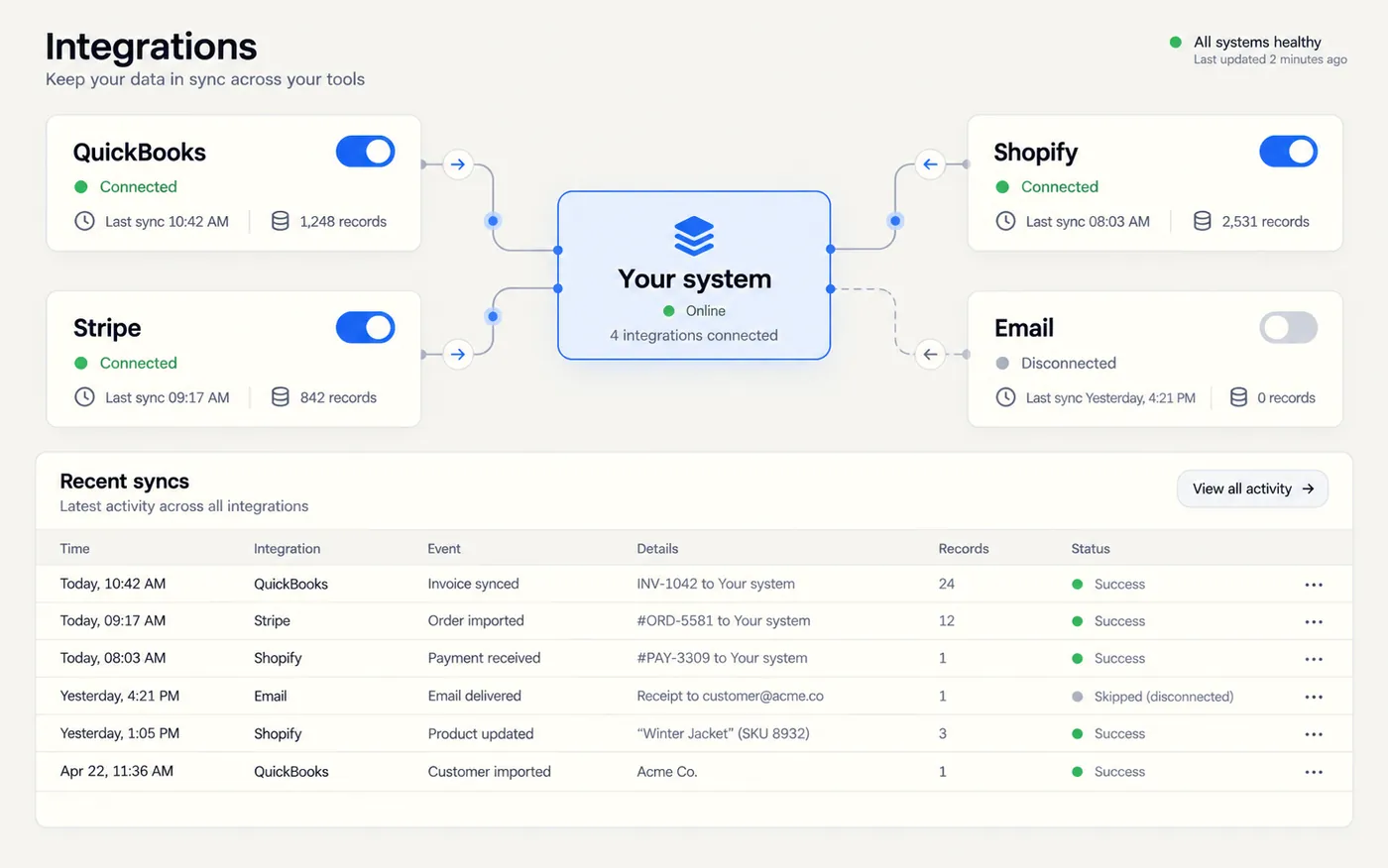
QuickBooks stops being a data-entry job.
Customers, invoices, payments and taxes move in the right direction, once, with the right names attached. I have built this against the QuickBooks Online API in production, including the unglamorous half — token refresh, retries, duplicate protection, and what to do when somebody edits the record on both sides.
- Customers and invoices created from real orders, not from a list
- Duplicates caught before they reach the books
- A sync log written in words, not error codes
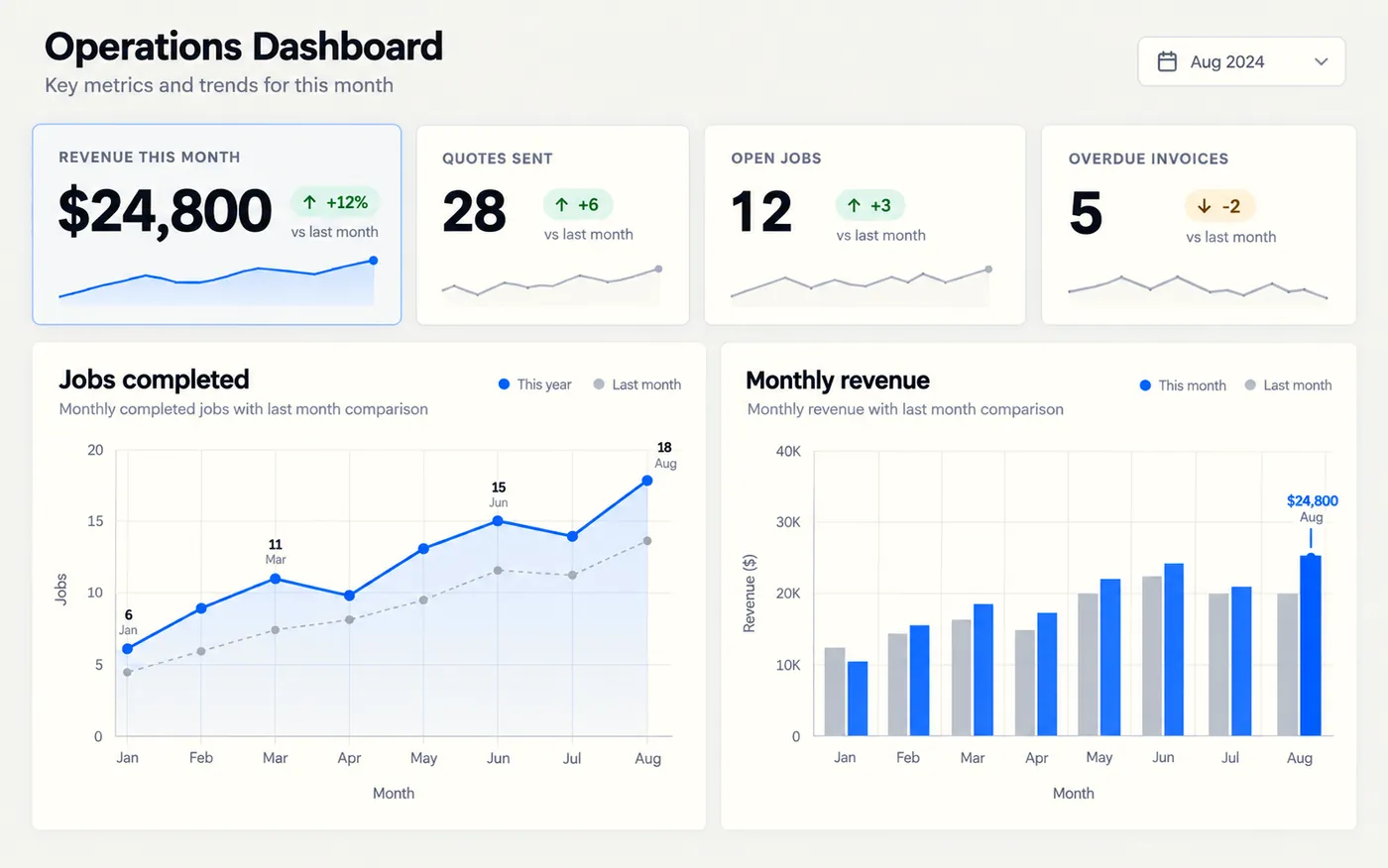
One page instead of a Sunday with Excel.
Sales, open jobs, what is overdue and what is coming — built from the same records the business already creates, so the numbers agree with each other. If a chart is not clearer than the number, it doesn't get a chart.
- Four numbers that answer "how is the month going"
- Built on your records, so it reconciles with the books
- No vanity metrics and nothing that needs interpreting
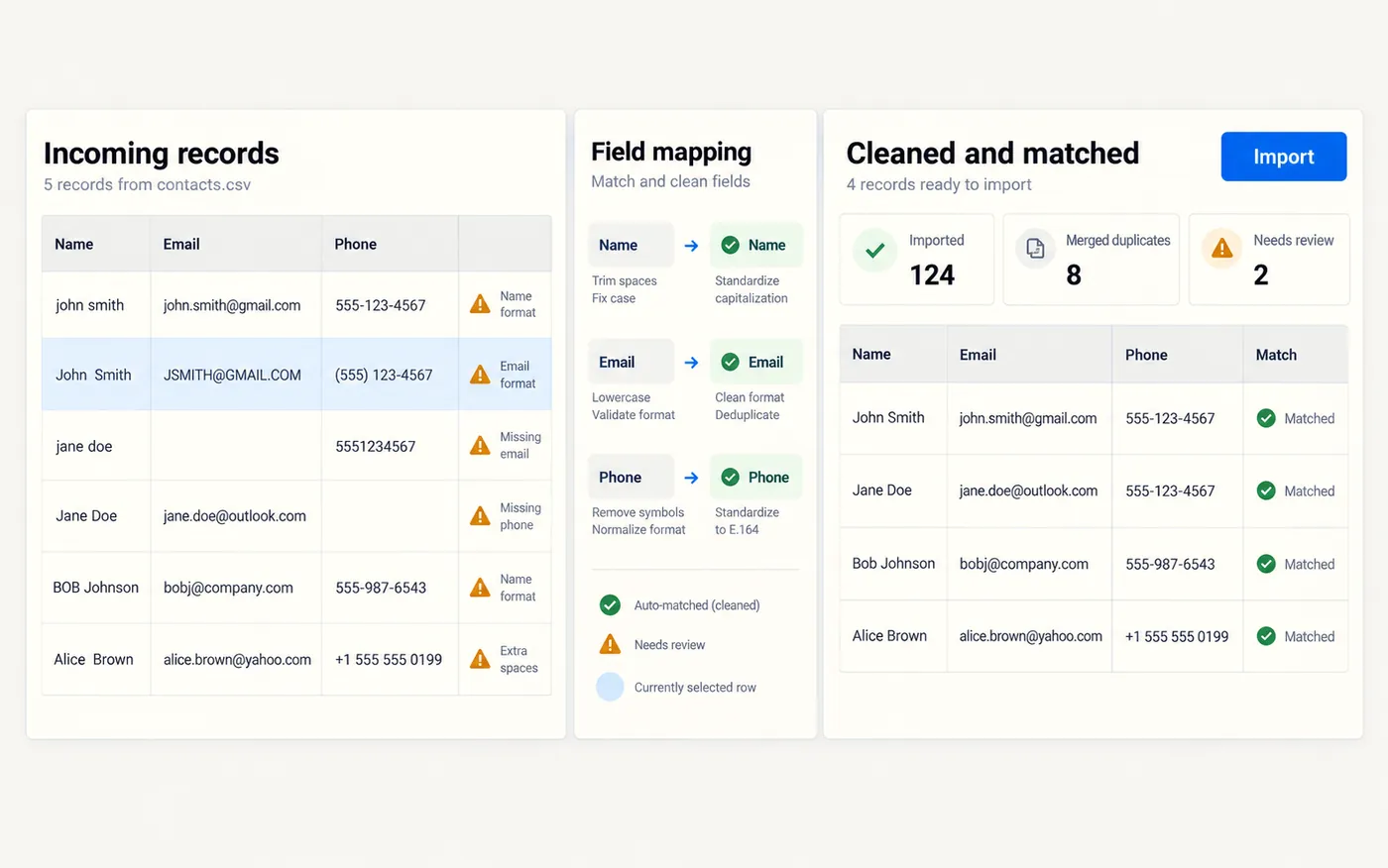
Twenty years of customers, moved without losing the history.
Old software holds the most valuable thing the business owns. Moving it is mostly a matching problem: the same customer spelled four ways, records with no email, duplicates made by two people on the same afternoon in 2011. Nothing is committed until you have read a report and said yes.
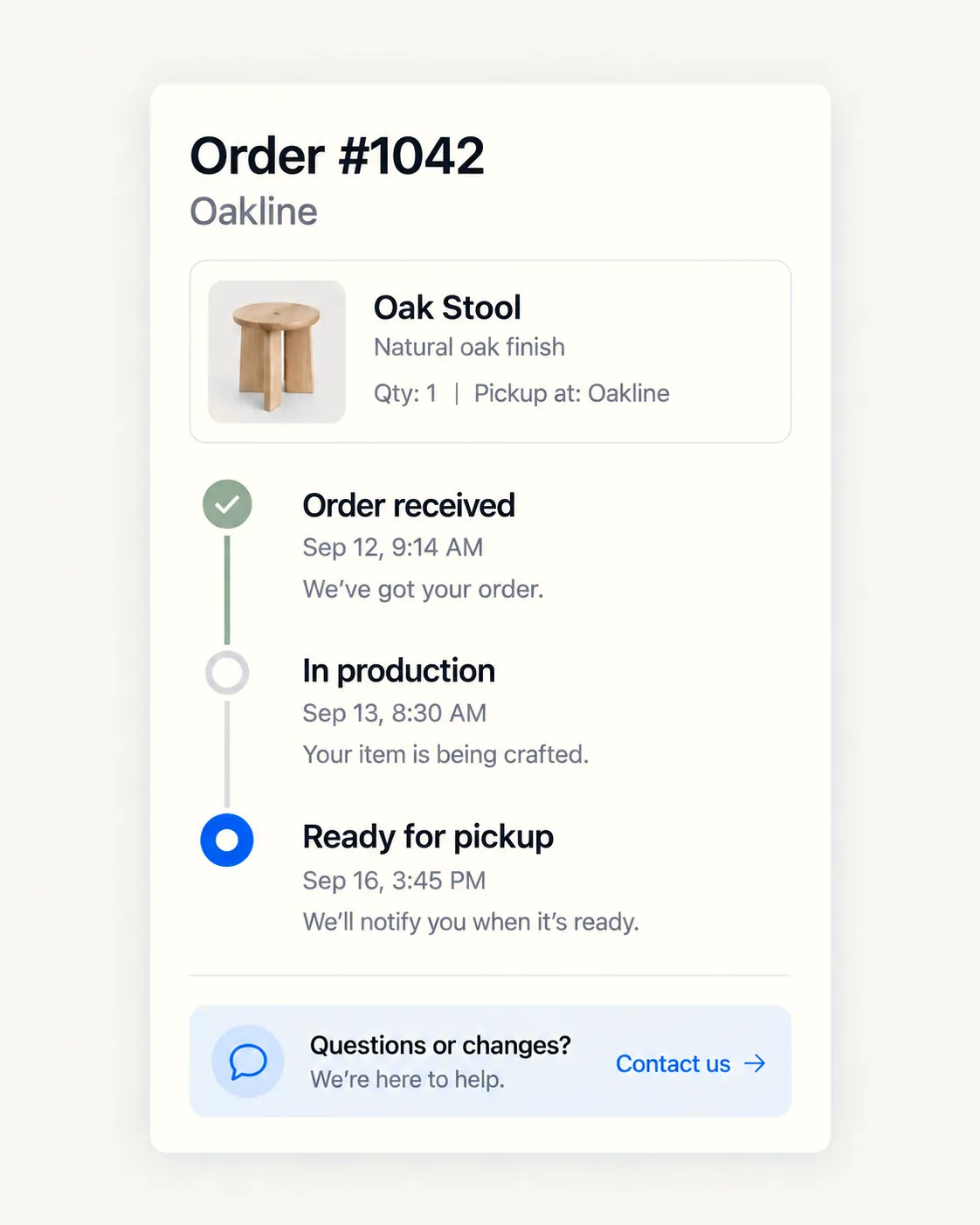
Fewer "is it ready yet" phone calls.
When a job changes stage, the customer hears about it. It costs almost nothing to set up and it removes a surprising number of interruptions from people who are trying to work.
Sent from your address, in your words, and never twice. Nothing goes out at two in the morning.
An integration that stops silently is worse than no integration. For three weeks everything looks fine, and then you find out that none of March reached the books.
So every connection I build logs what it did, retries what it can, parks what it can't, and emails you when something is stuck. That is not an upsell — it is the difference between an integration and a liability.
Build it, or buy a connector?
A ready-made connector is enough when…
Both systems are popular, the mapping is standard, and you can live with somebody else's idea of what a customer record contains. Zapier or a native app will do it for a monthly fee, and I will point you at it and charge you for the afternoon rather than the month.
Build it when…
The mapping involves your own rules, the volume makes per-task pricing silly, or you have already been bitten by a connector that failed quietly. Then you want something that logs, retries and tells you when it breaks.
What I work in here
Questions about connecting things
What happens when an integration breaks?
You get an alert, and the failed records sit in a queue instead of vanishing. Most failures are a token expiring or a field changing upstream. Both show up in the log as a line you can read rather than as a mystery.
Is my data safe going through this?
Credentials are encrypted at rest, access is scoped to only what the integration needs, and nothing is copied anywhere it does not need to go. I do this for a living on a production system holding tens of thousands of customer records.
Can you automate something that starts at a website form?
Yes — form to CRM, form to email, form to a job record, form to a message on somebody's phone. That is usually a few hours of work rather than a project.
We use software you have never touched. Is that a problem?
Only if it has no API and no export. Send me the name and I will check before quoting anything, and I will tell you if the answer is that it can't be done.
Which of your systems should be talking to each other?
Tell me what you use today and I will map what can be connected, what it would save, and what it would cost. Free, in writing.