
You tried ChatGPT. It didn't stick.
Almost never the tool's fault. Nothing was connected to your prices, your templates or your files, nobody wrote down what was safe to paste into it, and after a fortnight everyone went back to the old way.
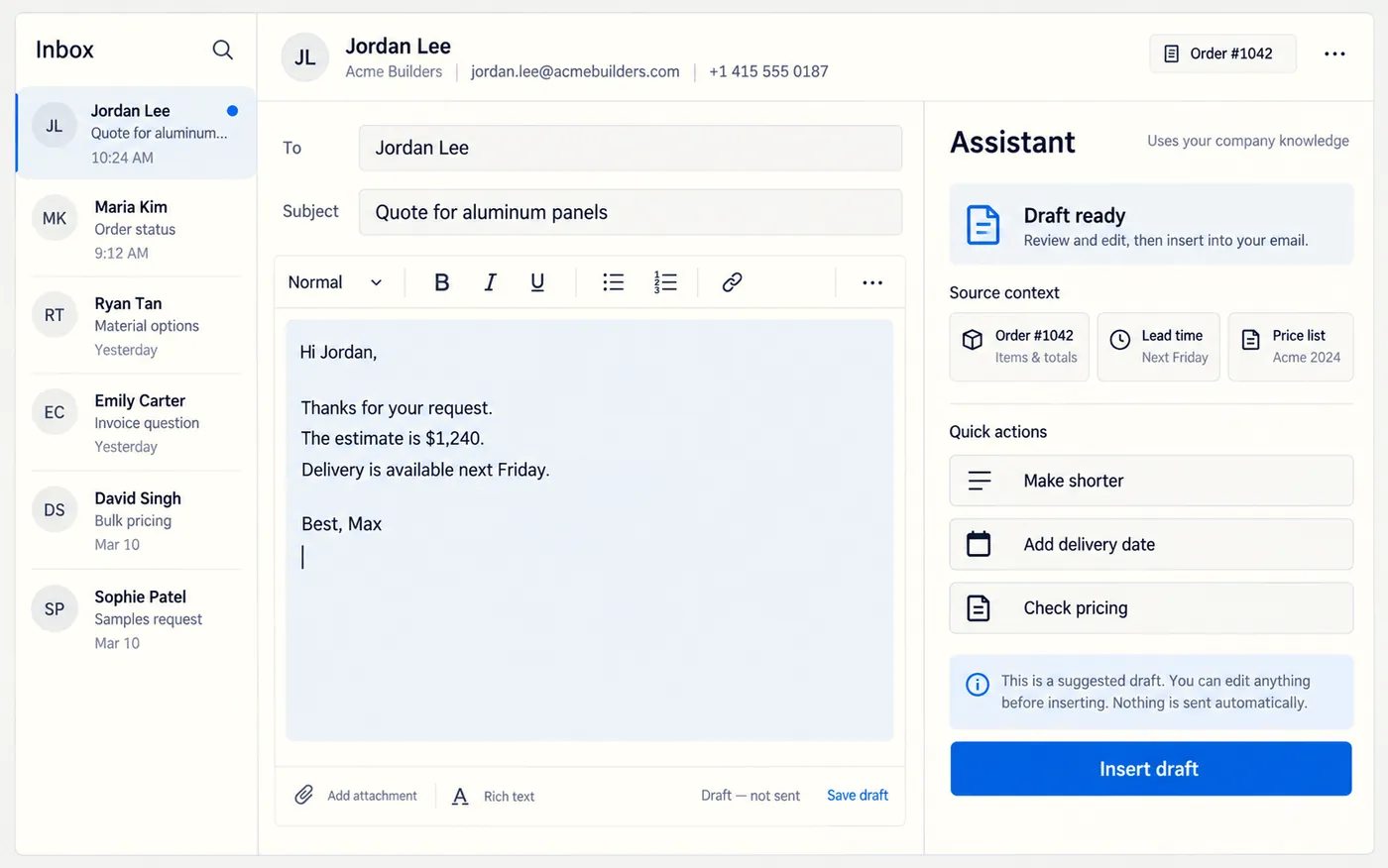
Set up for the company, not for one curious person.
The version that works is boring. A proper workspace on a business plan. Your own documents loaded into it. Two or three specific jobs it does every week. Written rules about what may go in. An hour of training with the people who will use it, on their own work rather than on examples.
No chatbot on your website. No agent left running unsupervised. A person approves everything that reaches a customer, and that is not a limitation I plan to remove.
- Typical setup
- Workspace, knowledge base, two or three working use cases, training
- Time to live
- 1–2 weeks
- What I need from you
- Your price list, a few good past quotes or emails, and an hour with whoever will use it
- Starts at
- $800
- Ongoing
- Optional monthly check-in and tuning
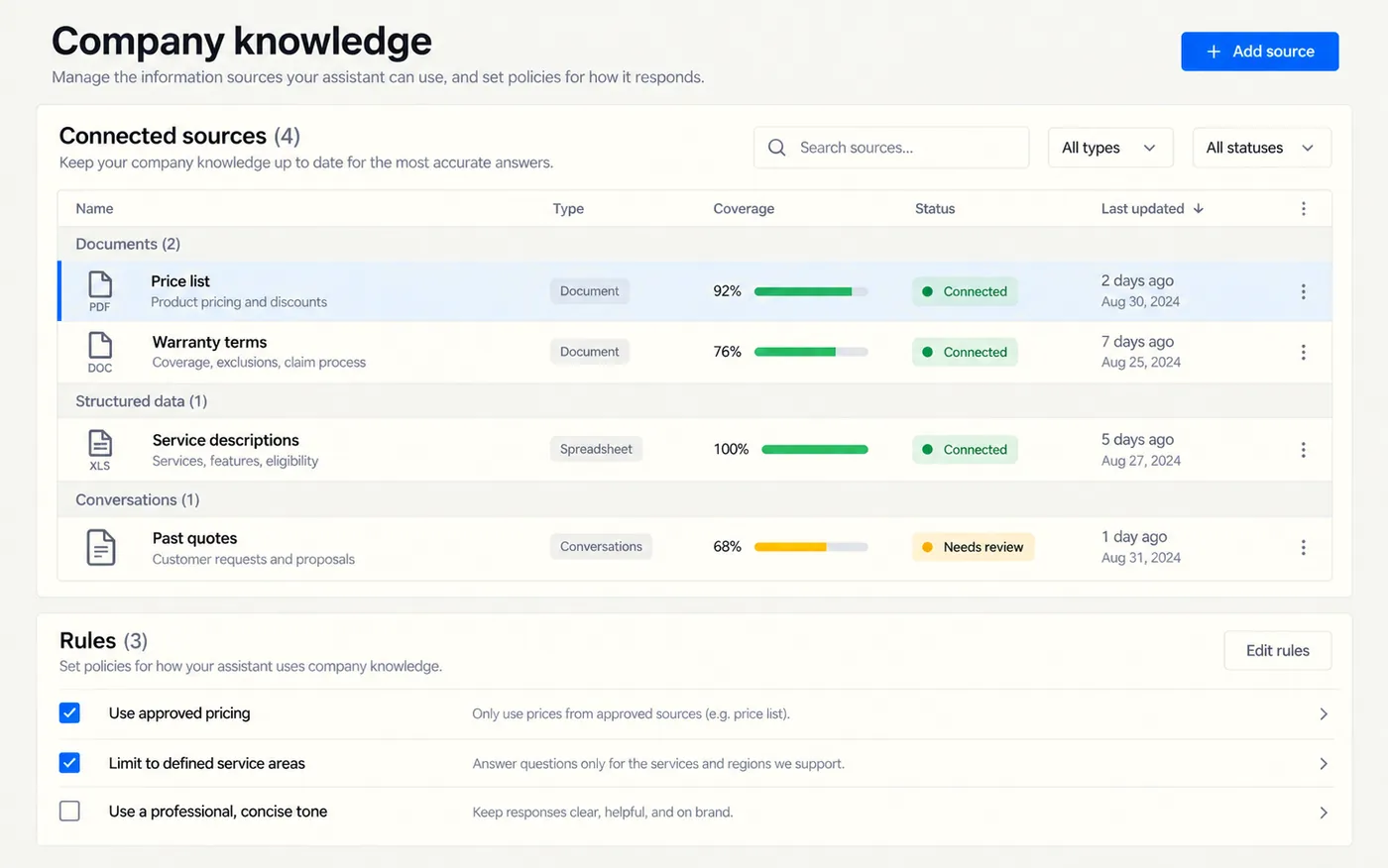
It has to know your prices to be worth anything.
A blank assistant writes blank text. One holding your price list, your service descriptions, your warranty terms and fifty of your own past quotes writes something you would actually put your name to.
- Your documents loaded, and kept current rather than loaded once
- Answers built from your numbers instead of invented ones
- An open list of what is connected, so nothing is a surprise
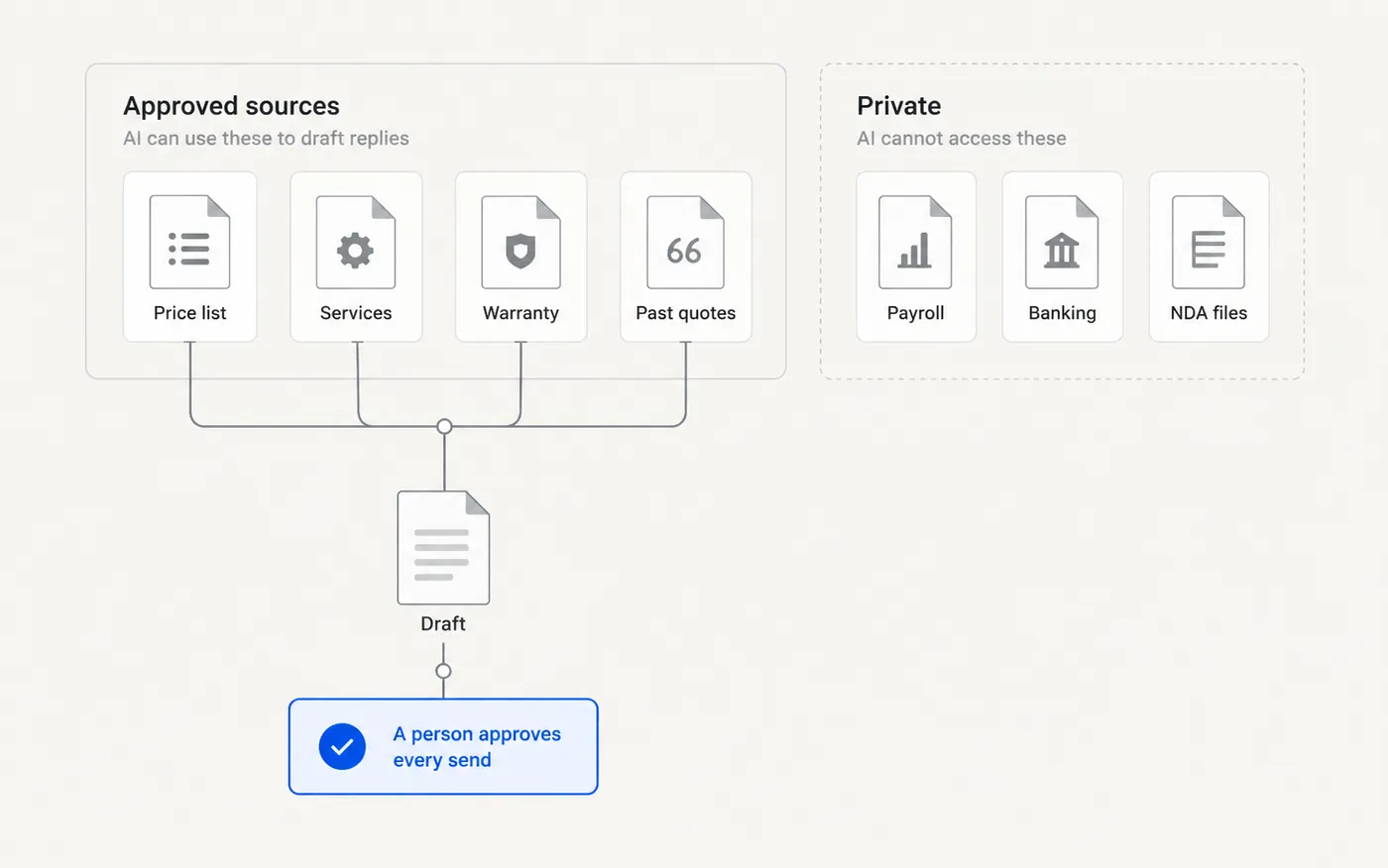
What it can see, and what it must never see.
The question that actually stops owners is not "is it clever enough". It is "what happens if somebody pastes the payroll file into it". So the boundary gets drawn on purpose, in a diagram anyone in the office can read, before the thing is switched on.
- Inside the line: prices, product copy, templates, past quotes, public policy
- Outside it: payroll, banking, health information, anything under NDA
- One named person who can change what is connected
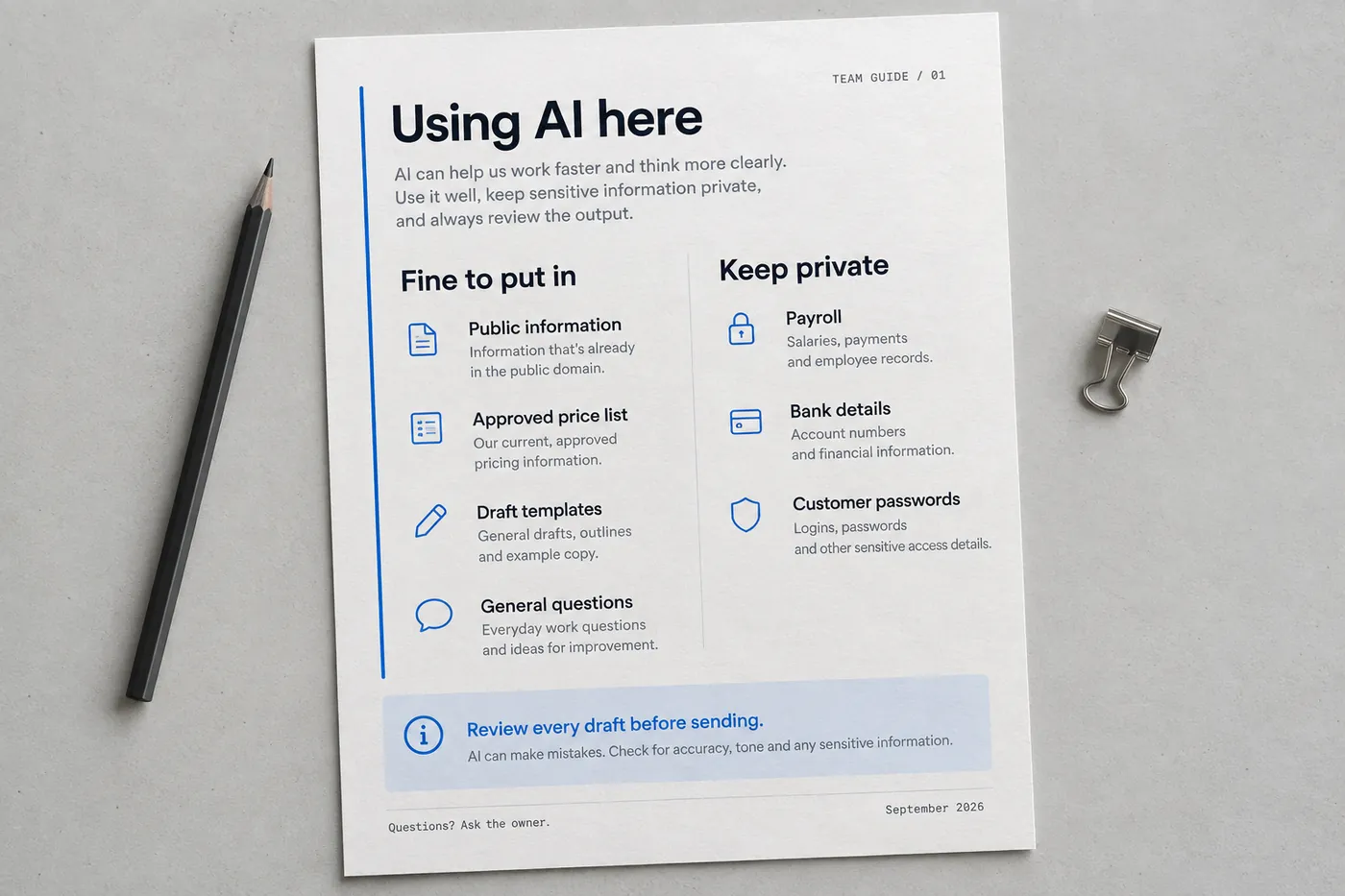
What gets written down
- Which plan you are on, and where in its terms it says your content is not used for training
- What may be pasted in, in plain language, on one page a new hire can read
- What may never be pasted in, with the three examples people actually get wrong
- Who has access, how it is granted, and how it is taken away when somebody leaves
- Which tasks a person must check before anything is sent to a customer
- What to do when it gets something wrong, so the answer isn't "stop using it"
One page, printed, on the wall.
This does not replace anybody on your team, and if that is what you are buying, we should stop here. It takes the hour a week your office manager spends rewriting the same description and gives most of it back.
It will also get something wrong occasionally. That is why nothing reaches a customer without a person reading it first, and why any workflow that cannot tolerate a human check is one I won't automate this way.
Where this helps, and where it doesn't.
Worth doing when…
You write the same kinds of emails, quotes and product descriptions every week. Or you have a pile of documents nobody can find anything in. Or somebody spends hours moving information between two places where a rule would do.
Don't bother when…
A number has to be exactly right and nobody will check it. Or the process is not written down yet, in which case writing it down is the project. Or you are hoping to cut a role — it won't, and I would rather say that now than after the invoice.
What I work in here
Questions owners ask about AI
Will our data be used to train somebody's model?
Not on the business and team plans I set you up on, which is one of the reasons to be on them instead of on personal accounts. I show you the setting and the wording in the terms rather than asking you to take my word for it.
What does it cost to run afterwards?
Typically a per-seat subscription in the $25–35 per person per month range, plus my setup fee. I itemise the platform cost separately from mine so you can see which number is going where.
What if it makes something up?
It will, occasionally. That is why it is connected to your real documents instead of guessing, and why a person approves anything that leaves the building. If a task cannot survive that check, it is the wrong task for this.
Nobody on my team is technical. Is this realistic?
That is the normal case, and the training is an hour on their actual work rather than a course. If a month later it is not being used, something was set up wrong and I would want to hear about it.
Where would this actually help you?
The audit looks at how work moves through your week and names the two or three places where this is worth doing — and the places where it isn't.